Why Does Your Phone Overheat? Causes and Simple Fixes for Kenyan Users
You're in the middle of a call, or three levels deep into a game, and suddenly your phone feels like it's been sitting in the sun. It's warm enough to make you uncomfortable holding it, and a little voice in your head starts wondering if something is seriously wrong.
Good news first: a phone that warms up sometimes is normal. The bad news is that heat, long hours of use, and inconsistent power supply can make overheating happen more often than it should, wherever you are. Let's go through why it happens and what actually helps.
Is it normal for a phone to get warm?
Yes, to a point. Your phone's processor, battery, and screen all generate heat when they're working hard, whether that's during a video call, a heavy game, or a long GPS session while you're navigating through traffic. A little warmth during these moments is expected and nothing to worry about.
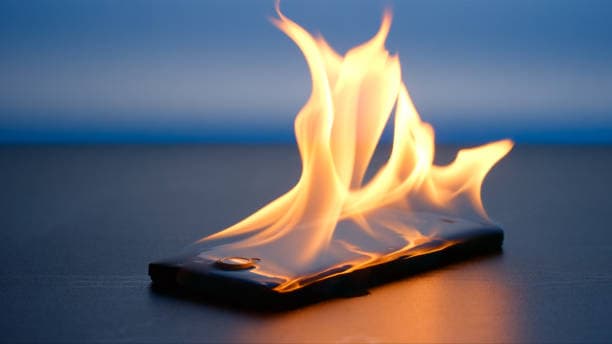
What isn't normal is a phone that's too hot to hold, shuts down on its own, or stays warm even when you're not doing much with it. That's your phone telling you something needs attention.
Common causes of phone overheating
Heavy apps and gaming. Graphics-intensive games, video editing apps, and anything using your camera and processor at the same time push your chip harder, and heat is the natural byproduct. If you've been reading up on chipsets, our guide on Snapdragon, Dimensity and what actually powers your phone explains why some processors run hotter than others under load. Check it out here.
Direct sunlight and hot environments. Leaving your phone on a car dashboard, in your back pocket on a hot afternoon, or on a windowsill can push its internal temperature past what it's designed for, even if you're not using it at all.
Cheap or mismatched chargers. Using a charger or cable that isn't built for your phone is one of the most common, and most avoidable, causes of overheating. Wrong voltage or a poor-quality cable forces your battery to work harder than it should. We broke down exactly what each wattage rating does and why cable quality matters in our guide to 25W, 35W, 45W and 65W charger prices in Kenya, explained. Read the full breakdown.
An aging or damaged battery. Batteries degrade over time, and a worn-out one generates more heat and holds less charge. Our explainer on what mAh actually means for your phone battery is a good place to understand what's happening inside that battery as it ages. Read it here.
Too many background apps. Apps running silently in the background, syncing, refreshing, and sending notifications, keep your processor active even when your screen is off. Over time this adds up to noticeable heat and faster battery drain.
Weak signal or poor network coverage. When your phone struggles to find signal, whether you're in a low-coverage area or inside a building with thick walls, it works harder to stay connected, which quietly drains the battery and generates heat.
Thick or non-breathable phone cases. Some cases, especially rugged or leather ones, trap heat instead of letting it escape, particularly while charging.
Why this is a bigger issue in Kenya than you'd think
A few everyday habits work against us more than most people realise. Long hours in the sun, whether you're walking, working outdoors, or simply spending hours on your phone during a hot afternoon, add up over a day. Power fluctuations also push a lot of people toward cheaper or uncertified chargers when their original one is lost or damaged, and that's often where overheating problems start. If you've ever charged your phone during a power surge, or picked up a charger from a random stall because it was convenient, your phone has likely felt the effects.
Practical fixes that actually help
Take the case off while charging, especially thick or rugged ones, so heat can escape properly.
Charge out of direct sunlight, on a hard, flat surface rather than a bed or sofa that traps heat underneath the phone.
Use a charger and cable made for your phone. Genuine, correctly rated chargers protect your battery far better than cheap alternatives. Browse genuine chargers and cables that match your device.
Close apps you're not using and check your battery settings for anything running excessively in the background.
Avoid gaming or streaming while charging. This combination is one of the fastest ways to heat up a phone.
Keep your software updated. Manufacturers regularly patch bugs that cause apps to misbehave and overwork the processor.
Give it a break. If your phone is genuinely hot, switch it off for a few minutes and let it cool naturally rather than putting it in the fridge or under a fan, which can cause condensation damage.
Choose a breathable case. A well-ventilated case still protects your phone without holding heat against the back panel. Explore phone cases designed to fit properly without trapping heat.
For a wider look at which accessories genuinely protect your phone (and which ones do more harm than good), our complete guide to mobile accessories for Kenyan smartphone owners is worth a read. See the full guide.
When to worry and see a mobile technician
Occasional warmth during heavy use is normal. But you should have your phone checked if you notice:
Automatic shutdowns or restarts
A battery that looks swollen or pushes against the back cover
Overheating even during light use, like texting or browsing
A burning smell or visible damage after a drop or liquid exposure
These are signs of a hardware issue, most often a failing battery, that a shop visit can diagnose safely rather than something you should try to fix yourself.
The bottom line
A warm phone during a long call or an intense game is nothing to panic about. A phone that's consistently hot, however, is usually pointing to something fixable: an old battery, a poor-quality charger, too many background apps, or Kenya's own climate working against you. Most of the time, the fix is simple: better charging habits, a genuine charger, and a bit more awareness of how you use your phone in the heat.
If you're due for a battery-friendly charger upgrade or a case that won't trap heat, browse genuine accessories built to work properly with your device, delivered countrywide.