MikroTik RouterOS License Levels Explained: What Every Buyer Should Know
If you've ever opened WinBox on a MikroTik router and clicked into System > License, you've probably seen a number sitting there, something like "nlevel: 4" or "nlevel: 6", and wondered what it actually controls. MikroTik's licensing system is one of the most misunderstood parts of buying and configuring these routers, and the confusion costs people money in two directions: some buy a license upgrade they never needed, and others hit a wall mid-project because their license was too low for the feature they were trying to use.
This guide breaks down what RouterOS license levels actually are, what each one unlocks, and, just as importantly, when you don't need to buy one at all.
What Is a RouterOS License, Exactly?
RouterOS is the operating system that runs MikroTik routers. It's the same software whether you're running it on a dedicated RouterBOARD device (the physical routers most people buy) or installing it yourself on a PC or virtual machine. The license level is what determines which features that installation is allowed to use, things like how many VPN tunnels it can run, how many HotSpot users it can serve at once, and whether it can operate as a full wireless access point.
Here's the part that trips up a lot of first-time buyers: if you buy a genuine, physical MikroTik router, it almost always already comes with the correct license level embedded for what that hardware is designed to do. You don't need to shop for a separate license just because you bought a router. Licensing mostly becomes something you actively manage when you're installing RouterOS yourself on a PC (an x86 install) or running it as a Cloud Hosted Router (CHR) in a virtual environment, not when you're using an off-the-shelf RouterBOARD.
The License Levels, Explained One by One
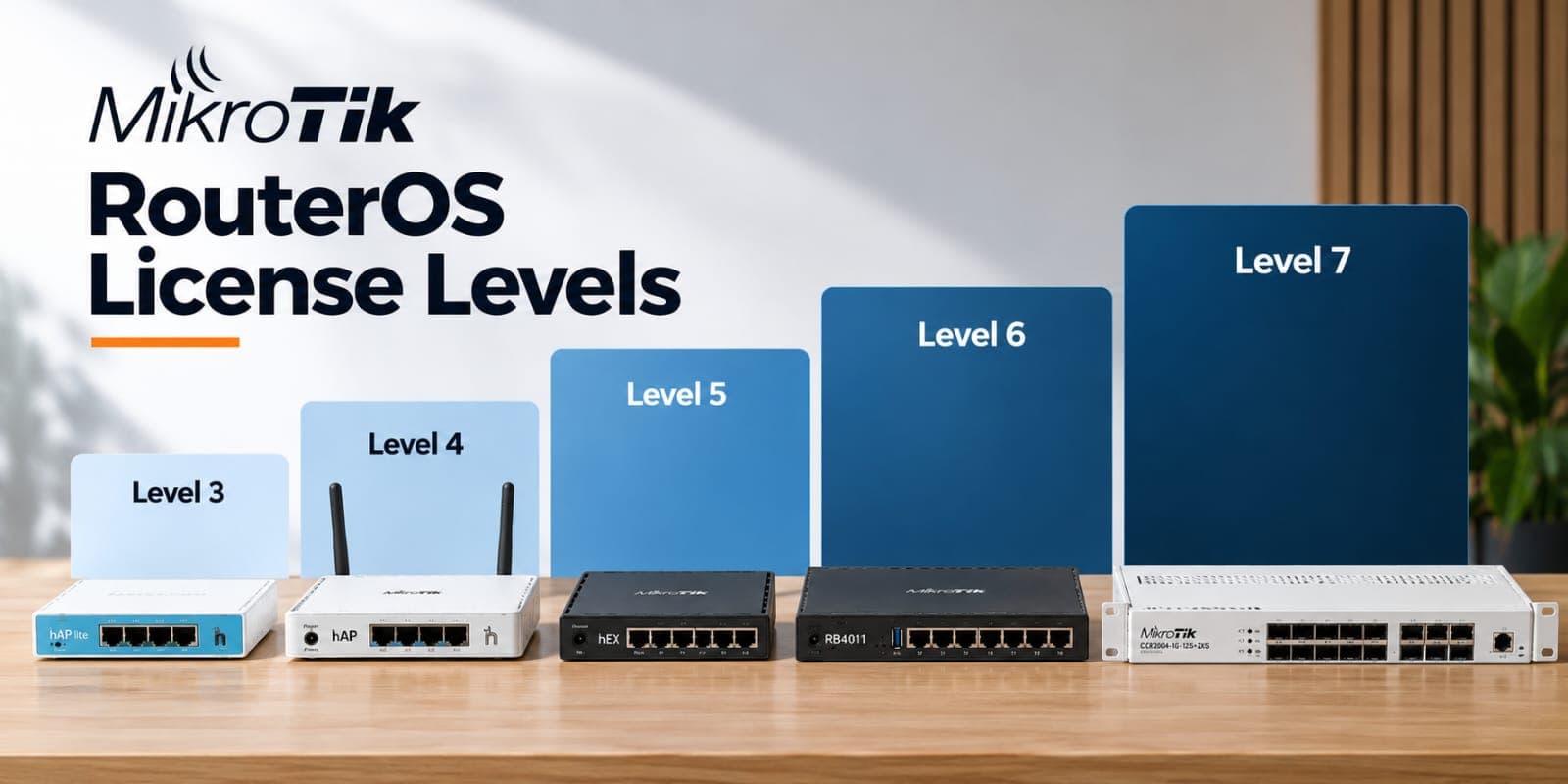
RouterOS licensing currently uses five active levels, plus two legacy levels you may still see referenced in older guides.
Level 0, Trial Mode. This is what you get for the first 24 hours after installing RouterOS on a PC or VM with no key applied. Every feature is unlocked, but it's temporary, once the trial window closes, you need to register a license or the installation stops functioning normally.
Level 1, Free Demo. Free to obtain once you register an account with MikroTik, but heavily restricted. Wireless AP mode is limited to a 24-hour trial, and tunnel counts (PPPoE, PPTP, L2TP) are capped at a single connection. This level exists mainly so people can test RouterOS on a spare PC before committing to real hardware or a paid license.
Level 3, legacy and hardware-only. You'll still see Level 3 mentioned in older documentation and on some entry-level RouterBOARD devices. It's intended purely for a router acting as a wireless station or CPE (client device connecting to someone else's network), and it isn't available as a standalone purchase for PC installations.
Level 4, WISP. This is the first level with genuinely usable capacity for a small deployment: full wireless AP mode, up to 200 PPPoE/PPTP/L2TP tunnels, and HotSpot support for up to 200 active users. It's a common target for a small WISP (Wireless Internet Service Provider) or a business running a modest HotSpot setup.
Level 5, WISP. Steps the tunnel and HotSpot ceilings up further, to 500 concurrent connections, and adds unlimited OpenVPN tunnels. This is the level most mid-sized WISPs and larger HotSpot deployments actually need.
Level 6, Controller. The top tier, with no caps on tunnel counts or HotSpot users. This is the level for large-scale deployments, carrier-grade setups, or any installation where you genuinely cannot predict or want to avoid hitting a connection ceiling.
A detail worth remembering: every RouterOS license, at any level, never expires. Once purchased and applied, it keeps working for the life of that installation, and it includes unlimited software upgrades. What changes between levels isn't how long the license lasts, it's what the router is allowed to do at once.
Do You Actually Need to Think About This?
For most people buying a MikroTik router in Kenya, the honest answer is no, not directly. If you're buying a genuine RouterBOARD device like a home or small-office router, the hardware ships with a license level appropriate to what it's built for. A small home router isn't going to arrive locked at Level 1 expecting you to pay extra just to get basic WiFi working.
Licensing becomes something you need to actively manage in three situations:
You're installing RouterOS on a PC or server yourself (an x86 install) rather than buying a RouterBOARD. Here you genuinely do choose and purchase a license level based on what you need the system to handle.
You're running a Cloud Hosted Router (CHR) in a virtual machine or cloud environment. CHR uses its own separate licensing structure, distinct from RouterBOARD and x86 licensing, and a license can't be moved between CHR and a physical device.
You're scaling a WISP or HotSpot business and your current router's tunnel or user ceiling is genuinely being hit in daily use, in which case upgrading to a higher license level on that same hardware can unlock more capacity without buying new hardware.
Outside of those three cases, most buyers should simply match the router hardware to the job, the way you'd choose any other spec, rather than shopping around for license levels separately.
How to Check Your Current License Level
If you already have a MikroTik router and want to see what level it's running, this takes seconds:
In WinBox or WebFig, go to System > License.
Or run this command in the terminal:
/system license print
The output will show a line labelled nlevel, that's your current license level. If a feature you're trying to configure, like a fourth HotSpot user beyond a Level 1 demo cap, refuses to apply, checking this first will usually explain why before you spend time troubleshooting the wrong thing.
Matching Hardware to the Job Instead of Chasing License Numbers
For most installations in Kenya, from a home router to a small business network to a growing WISP, the practical path is choosing hardware built for the job rather than treating license level as a separate shopping decision. A board meant for a small apartment, like the MikroTik hAP RB951Ui-2nD or the MikroTik RB951Ui-2HnD, comes with everything a typical home or single-office setup needs out of the box.
Once a deployment grows into gigabit LAN requirements or heavier routing, boards like the MikroTik RB760iGS hEX S or the rack-mountable MikroTik L009UiGS-RM are built with the licensing and processing headroom that job actually calls for. And for a genuine WISP-scale or business-grade deployment, where you're pushing real tunnel counts and concurrent HotSpot users, hardware like the MikroTik RB4011iGS+RM or the MikroTik RB5009UG+S+IN is where the higher license tiers, and the hardware to actually use them, come together.
Common Misconceptions Worth Clearing Up
"I need to buy a license separately from my router." Usually false, for genuine RouterBOARD hardware. The embedded license is part of what you're paying for when you buy the physical device.
"A higher license level makes my router faster." No. License level controls feature caps and connection limits, not CPU speed, RAM, or throughput. A Level 6 license on underpowered hardware won't outperform a Level 4 license on a board built for the job.
"Grey-market or counterfeit routers come with the same licensing guarantees." This is where buyers get burned. A counterfeit or cloned board may show a license level in software that doesn't match genuine MikroTik firmware behavior, and it carries no legitimate path to a license upgrade or manufacturer support if something goes wrong. Buying genuine hardware from an authorized reseller is what actually protects the licensing and warranty that comes with it.
FAQ: MikroTik License Levels
What's the difference between MikroTik license Level 4 and Level 5? Level 4 supports up to 200 concurrent tunnels and HotSpot users; Level 5 raises that ceiling to 500 and adds unlimited OpenVPN tunnels. Most small-to-mid WISPs move to Level 5 once they outgrow Level 4's caps.
Do RouterBOARD devices need a separate license purchase? No, in almost all cases. Genuine RouterBOARD hardware ships with a license level already embedded for its intended use. Separate license purchases mainly apply to x86 PC installs and Cloud Hosted Router (CHR) deployments.
Does a MikroTik license expire? No. Every RouterOS license level, once applied, is valid indefinitely and includes unlimited software upgrades.
Can I upgrade my router's license level later? Yes, for x86 and RouterBOARD installations, you can purchase a higher license level for the same device's Software ID without needing new hardware, provided the hardware itself can support the features you're unlocking.
Final Thoughts
RouterOS licensing looks more complicated from the outside than it actually is in practice. For the vast majority of buyers, genuine hardware already comes with the right license level built in, and the real decision is choosing a router that matches the job, not shopping for a license separately. Licensing only becomes an active decision once you're running RouterOS on your own PC hardware, deploying CHR in the cloud, or scaling a WISP past the tunnel and user caps of your current setup.
Not sure which MikroTik router matches your license needs and budget? Call +254724368347 and the team at Talisa Technologies can help you match the right board, and the right license tier, to the job.